
Vori changelog
SNAP and WIC items now stand out at the register
This week's register update makes benefit checkouts smoother. SNAP and WIC items are marked right on the lane, and voided orders are easy to find again.
SNAP and WIC items stand out at checkout
When a shopper pays with benefits, cashiers shouldn't have to guess which items qualify. The register now shows them.
SNAP and WIC badges appear on eligible items in the basket.
If an item should qualify but isn't set up that way, a cashier can mark it SNAP eligible at checkout. Turn on Mark Item as SNAP Eligible under Manager Approvals to require a manager's OK first.
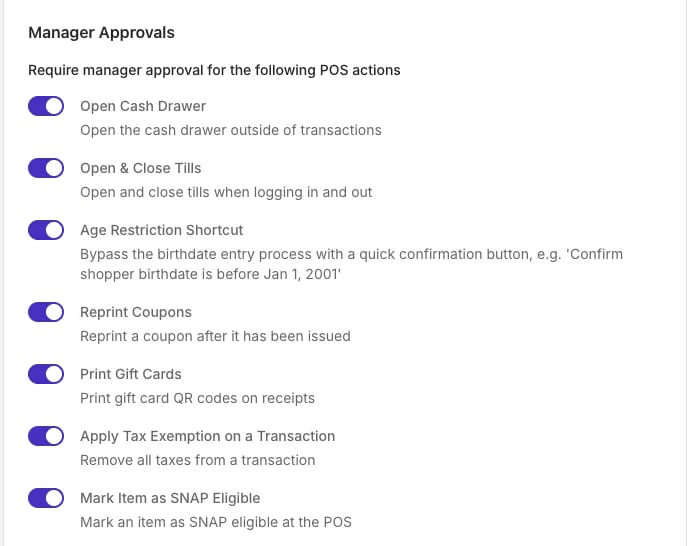
Where to find it: Back Office › Point of Sale › POS Settings › Manager Approvals · Set up manager approvals →
At the register
Find voided orders fast. A new Voided tab lists every voided order, so you can reprint its receipt when a shopper asks.
Clear confirmation on voids. The register now shows a message when an order has been voided.
On the handheld
Keep products in active departments. When a product's department is deactivated, the handheld prompts you to choose a new one.
Fixes
Receipts print quotation marks and dashes correctly.
Weighed items are no longer mislabeled on the handheld.
Product edits stay with the right store after you switch stores on a handheld.
Questions about any of these? Reach out to your Vori team at [email protected] or 415-779-0021