
Vori changelog
Loyalty cards now live in your shoppers' phone wallets

This week your loyalty members get a card they can keep on their phone, and checkout runs steadier at the register.
Loyalty cards your shoppers keep on their phone
When a member can't remember the phone number on their account, the line waits. Now members can save a loyalty card with your store's branding to Apple Wallet or Google Wallet and pull it up at checkout.
Add the loyalty card link to any text message, and each member gets a link to their own card.
The card shows the member's points balance and updates on its own whenever points change.
At checkout, the cashier scans the QR code on the card to add the member to the sale. See how cashiers scan the card →
New loyalty programs include the link in the sign-up text automatically. If your program already exists, add the link to your Welcome Message to start sharing cards.
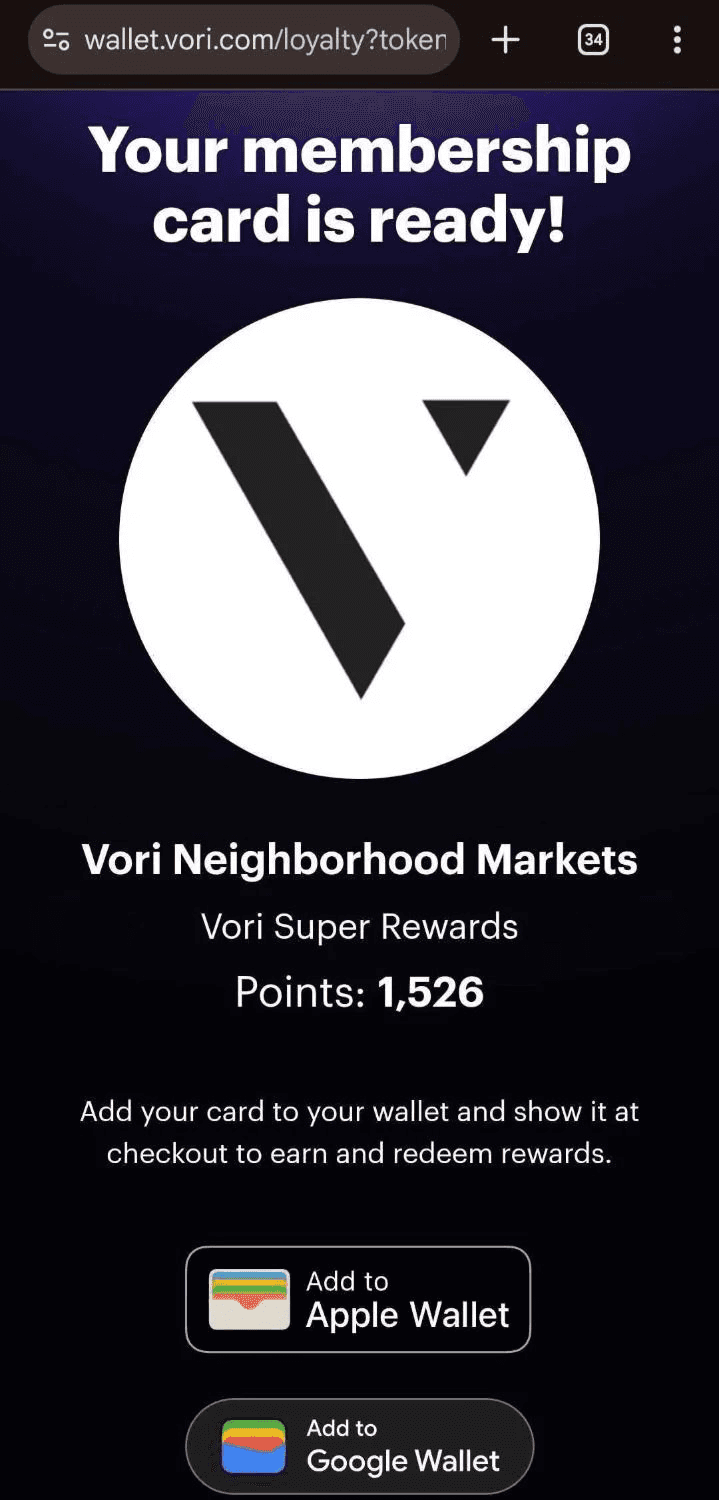
Where to find it: Back Office › Marketing › Campaign Agents › Welcome Message · Add the loyalty card link to your texts →
Fixes
Timed promotion prices stay put while a customer pays, so the total no longer changes partway through payment.
Available cashback updates right after a pay in or pay out.
The number pad works again when you open a replacement till after a till was force-closed.
Questions about any of these? Reach out to your Vori team at [email protected] or 415-779-0021.